Hi Everyone!!! Let's check out some details about Data-Driven Testing with Postman using CSV and JSON files😊
Data-driven testing can be a very effective approach in testing an API against different data-sets. Postman supports CSV and JSON files to get data for the test scripts. The data-driven approach is useful when we need to execute a test with multiple sets of Data. Also, modifying or adding any data fields will just need updating the data files which is easier than going to test script and updating test data.
To explain the same I’ll use a sample request which I use in my daily work.
Steps to do this:-
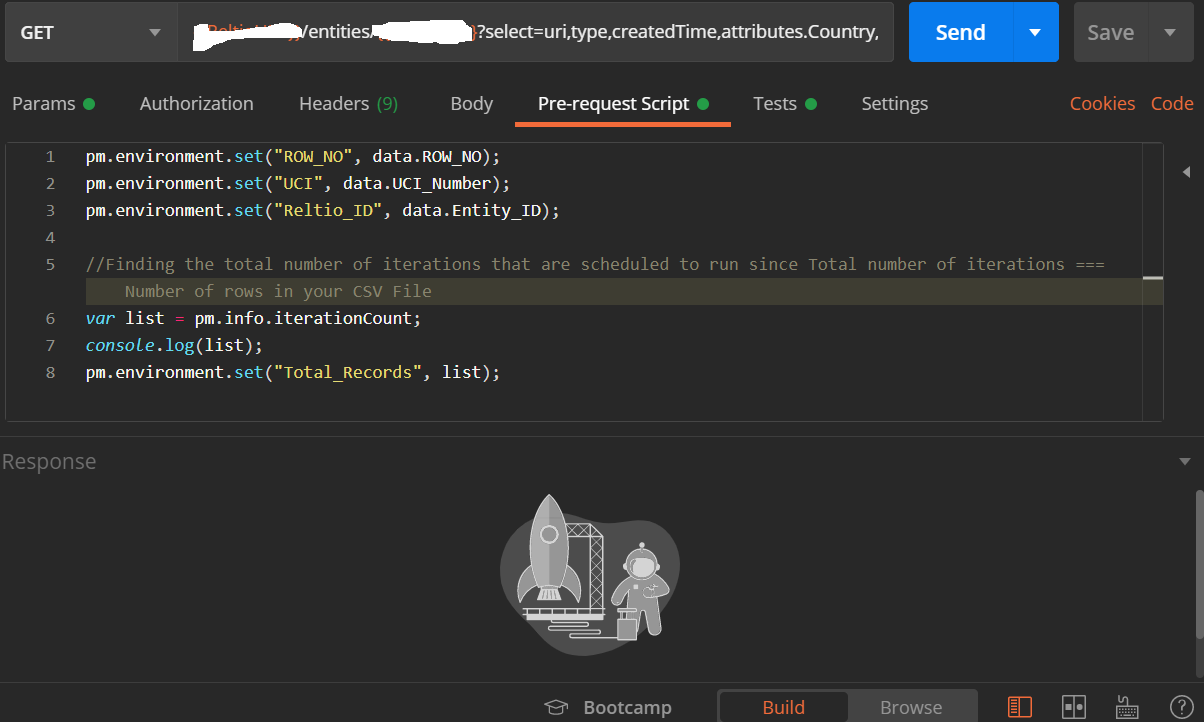
- Now, in this example, I want to refer Row_No, UCI_Number, and Entity_ID from a CSV file. So, as a pre-requisite, we need to define these in a variable. In order to do so in the Pre-request Script tab we need to set the variables as in the screenshot, so that going ahead values will be read from variables.
- Create a CSV file having these variables and values.
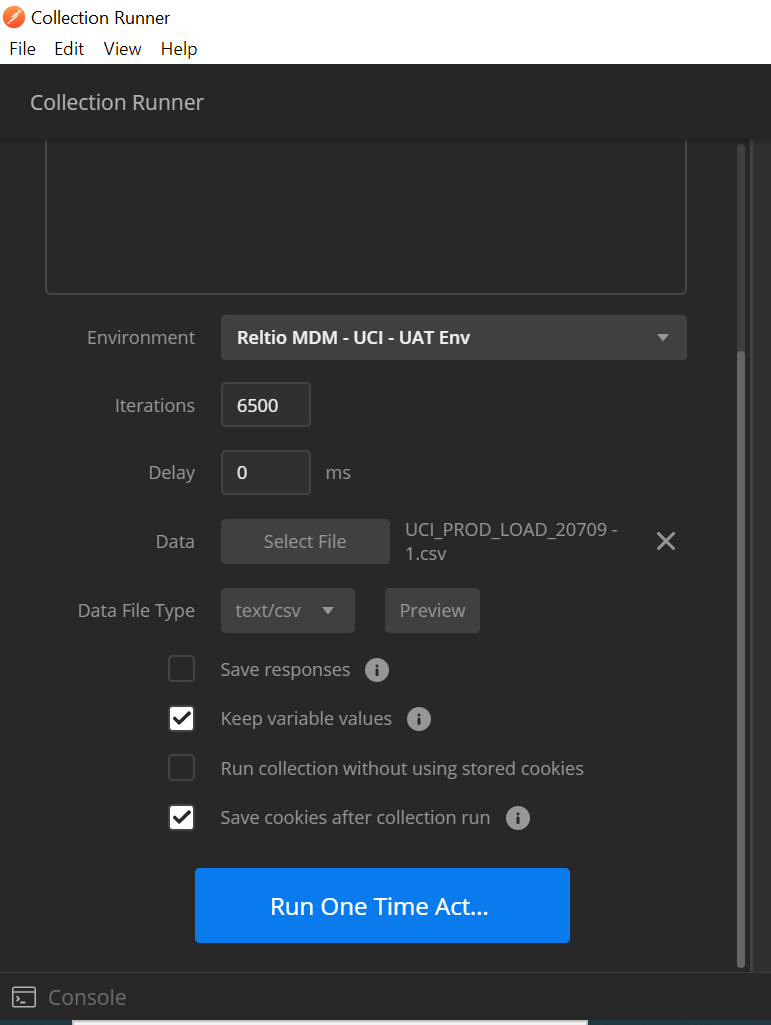
- Now go to Collection Runner, and import this data file and click on the Run button.
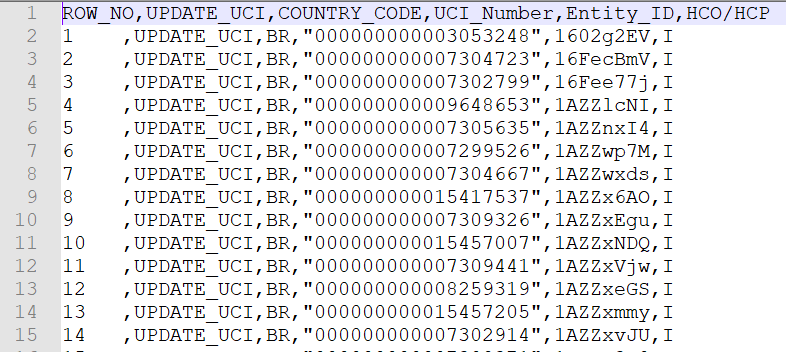
 Data File Preview:
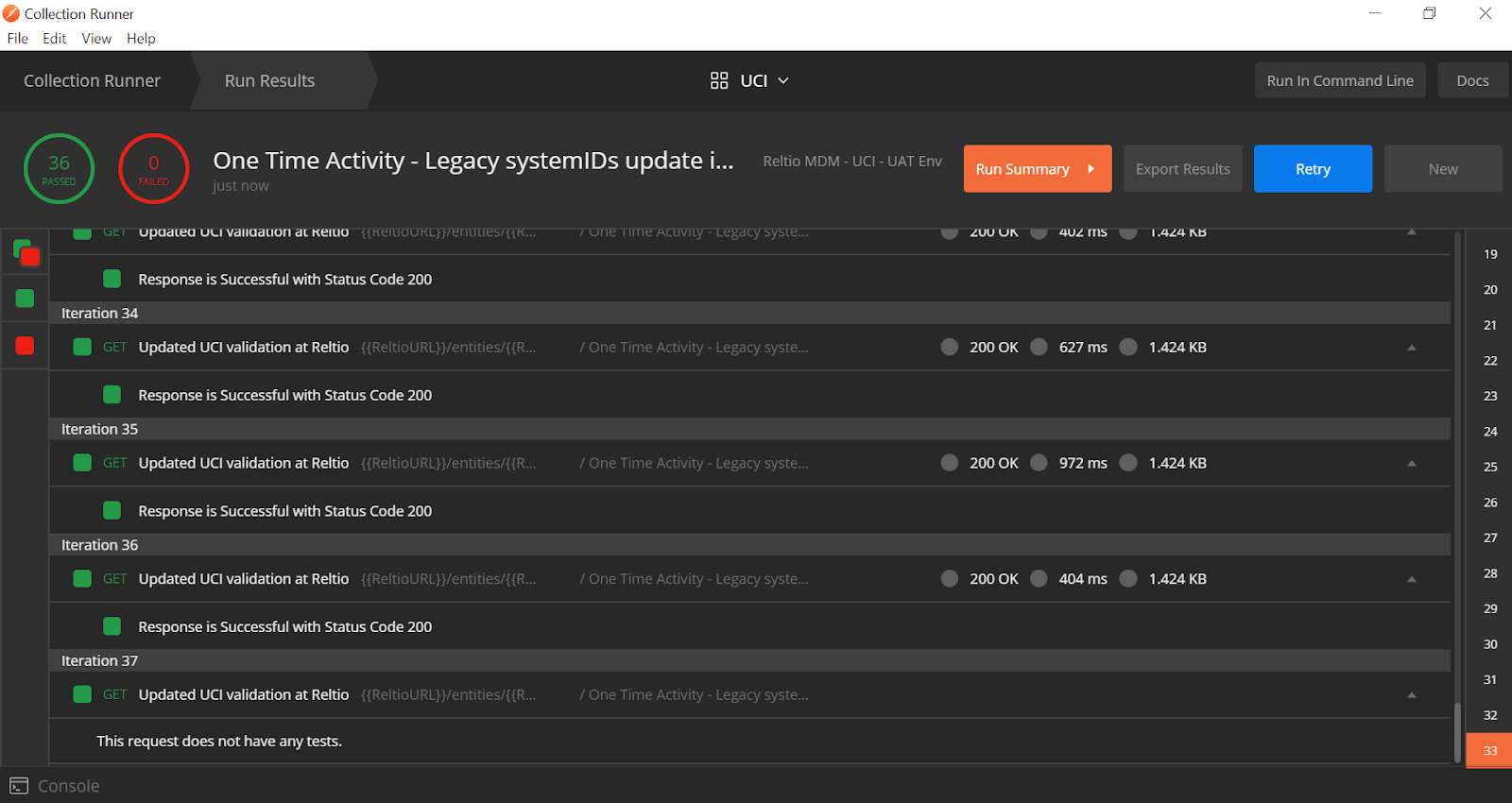
After hitting on the run: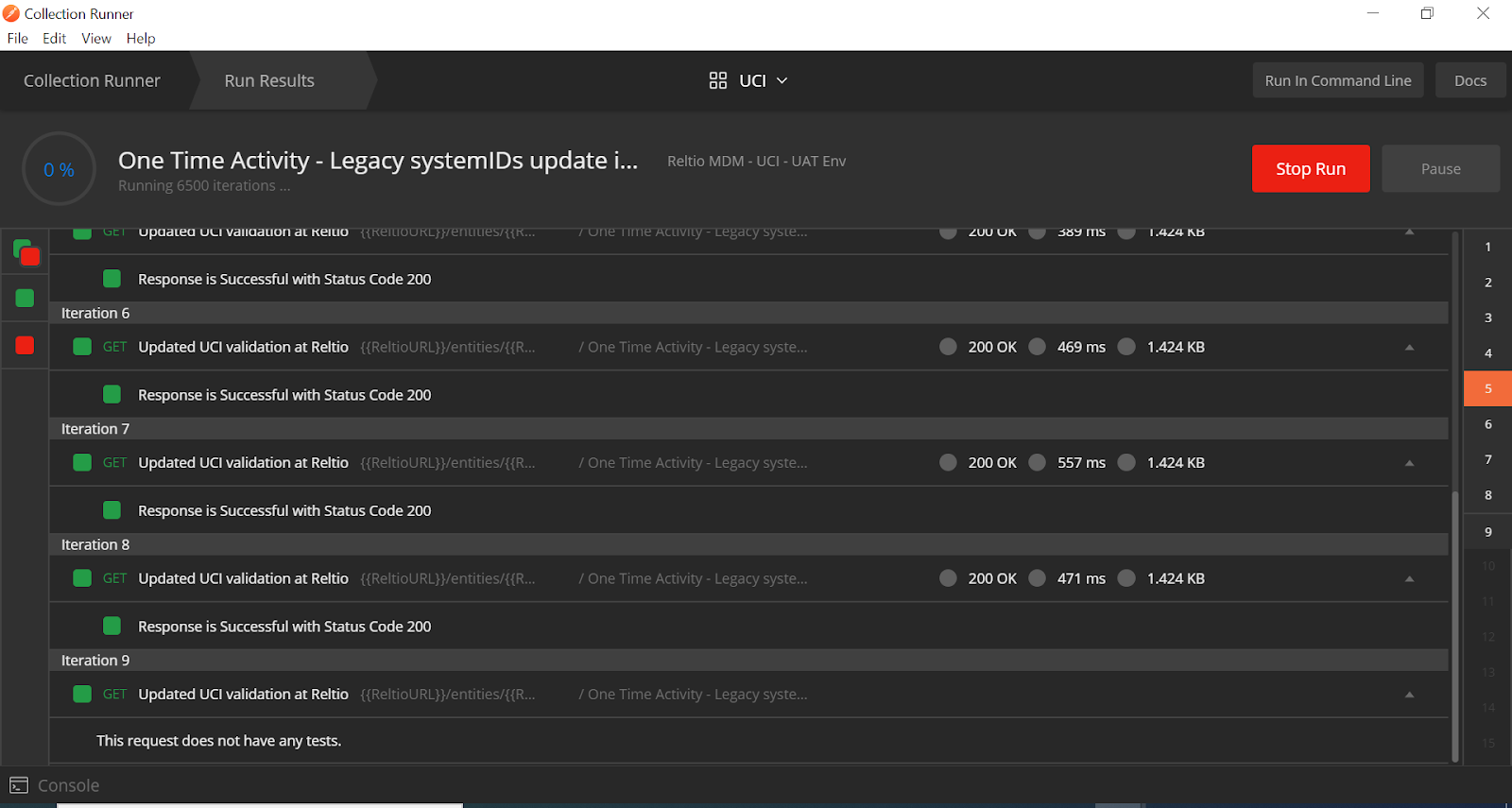
Run can be stopped any time of execution: